3.5cm x 4.5cm Photo Size Converter
Try our other Tool– Resize Image to 4.5 cm x 3.5 cm
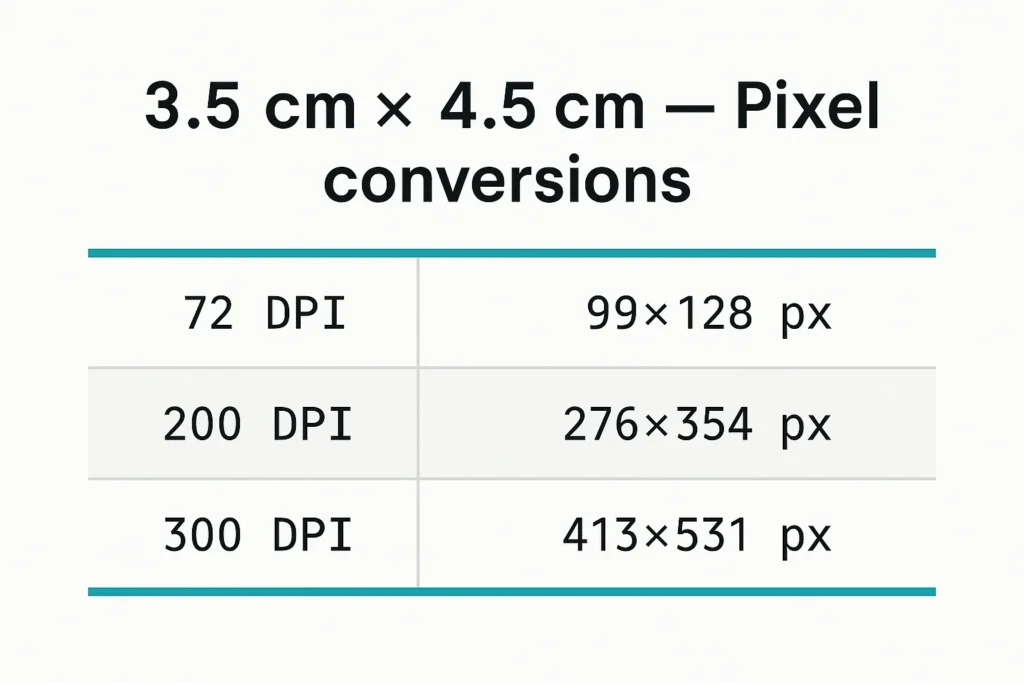
3.5 cm × 4.5 cm (35 mm × 45 mm) at 300 DPI = 413 × 531 pixels. This is the standard photo size for Indian passport, visa and government job forms. Indian portals usually accept this photo as a JPG between 30 KB and 100 KB.
| Resolution | Size in pixels (W × H) | Best used for |
|---|---|---|
| 96 DPI | 132 × 170 px | Screen / web use |
| 150 DPI | 207 × 266 px | Small online forms |
| 200 DPI | 276 × 354 px | Portals with a very small file-size limit |
| 300 DPI | 413 × 531 px | Standard print & passport photo |
| 600 DPI | 827 × 1063 px | High-quality printing |
A job portal rejects your form because the photo is the wrong size, or an embassy site refuses your upload because the file is too large. In India, forms — Passport Seva, PAN card, Aadhaar, SSC/RRB/OJAS applications — ask for this exact dimension, and the upload box usually has a KB limit too. This tool resizes your photo to 3.5 × 4.5 cm, lets you set the file size (30 KB, 50 KB, 100 KB — whatever the form asks), and gives you a submission-ready JPG in one click. No app, no signup, no watermark.
Use the box below to resize the photo, then check the result at 100% on your device before uploading it.
How to convert a photo to 3.5 cm × 4.5 cm?
Follow these exact steps to convert photo to 3.5 x 4.5 cm with our online converter. The walkthrough shows how to use the photo resizer in cm 3.5 x4 5 online, where to set the online photo resize width and height in cm or pixels, and how to target a specific file-size (for example 3.5 cm x 4.5 cm to 100kb). Do the steps in order and you’ll get a submission-ready passport/ID photo in under a minute.
1. Upload the photo — click “Choose File” and pick a JPG or PNG. A front-facing photo with a plain background works best.
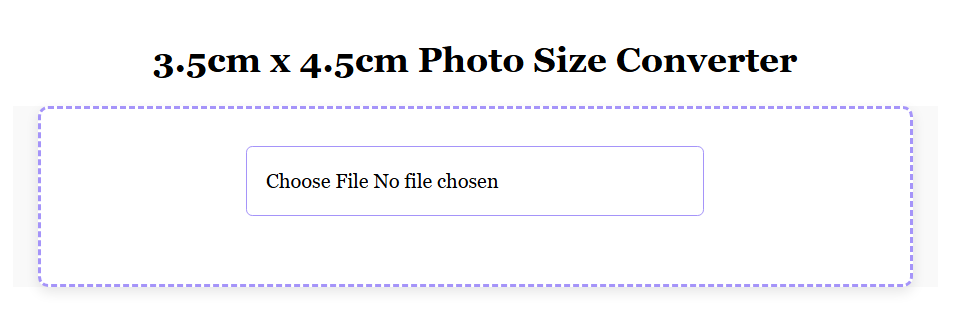
2. Set Desired Size: Set online photo resize width and height in cm to 3.5 cm x 4.5 cm, or switch to pixels for precision.
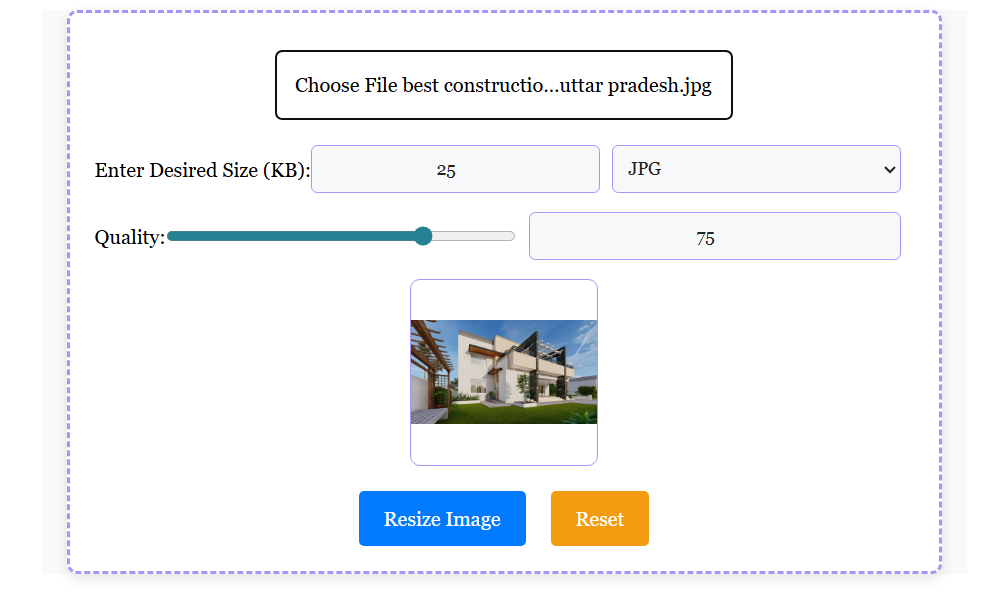
3. Select a Format: Pick JPG for smallest files (universally accepted for Indian passport photo requirements)
4. Set Image Quality: Adjust from 1-100 to hit 3.5 x 4.5 cm with size from 30kb to 100kb – perfect for portal uploads.
5. Resize Image: To begin the compression process, click the “Resize Image to 3.5 x 4.5 cm” button.
6. Download Image: To save your compressed image after processing is finished, click the “Download Resized Image” link.
What file size (KB) should a 3.5 × 4.5 cm photo be?
There is no single “correct” KB value — it depends on what the portal allows. This table shows what a 413 × 531 px JPG usually weighs at different quality settings, so you can pick the closest match:
| JPG quality | Typical file size | Use it when the form asks for |
|---|---|---|
| About 90% | 40–70 KB | Print, passport photo prints |
| About 75% | 25–40 KB | Most online forms (50 KB limit) |
| About 60% | 15–25 KB | 20 KB or 30 KB limits |
| About 50% | 10–15 KB | 5–15 KB limits (some exam portals) |
These are typical ranges — a photo with a busy background is heavier than a plain-background photo at the same quality.
Where is 3.5 × 4.5 cm used? (common Indian requirements)
| Document / portal | Usually asked |
|---|---|
| Indian passport (print photo) | 35 × 45 mm (3.5 × 4.5 cm), plain light background |
| Passport Seva online upload | JPEG digital photo — the portal shows its own pixel and KB limit on the upload screen |
| Schengen / most visa forms | 35 × 45 mm, white background |
| US visa / DV | 2 × 2 inch (600 × 600 px) |
| PAN card (NSDL / UTIITSL) | Square photo, roughly 213 × 213 px, signature 4.5 × 2 cm at 600 DPI |
| Govt job forms (SSC, RRB, OJAS, state PSC) | 3.5 × 4.5 cm or 276 × 354 px, with a small KB limit |
Important: Requirements change between exams and even between years. Always copy the exact size and KB limit from your form’s official notification or upload page — this table only shows what is commonly asked.
Photo quality checklist (to avoid rejection)
- Head size: the head should fill about 70–80% of the frame (roughly 25–35 mm from chin to top of head in a 45 mm tall photo).
- Background: plain, light or white, with no door edges, curtains or shadows.
- Recent photo: ideally taken within the last 6 months.
- Face: straight to the camera, neutral expression, mouth closed, both eyes visible.
- No glasses, caps or head coverings (unless worn for religious reasons).
- Lighting: even light on the face — no flash reflection and no dark shadow on one side.
- Sharp, in colour — no filters, no black-and-white scans.
Which format should you choose?
The converter accepts JPG, JPEG, PNG and WebP, and always gives you a JPG download option — that is what Indian government portals and printers accept. PNG is useful only when you need a transparent background, and WebP is efficient but not accepted everywhere yet. For exam forms, a JPG at 413 × 531 px is the safest choice.
Does it work on mobile?
Yes. The tool runs inside your browser, so you can pick a photo from your phone gallery, set the size and KB limit, and download the resized file straight to your phone — useful for portals that only accept mobile uploads. Nothing is uploaded to a server, so your photo stays on your device.
Why Choose Our 3.5 cm x 4.5 cm Photo Size Converter?
Struggling with 3.5 cm x 4.5 cm passport photo online for Tatkal or OCI? Our 3.5 cm x 4.5 cm photo size online converter stands out with features tailored for Indian users. Here’s why it’s the best 3.5 cm x 4.5 cm photo size free tool:
- Free & Instant: No hidden fees, unlike paid apps – get passport size 3.5 cm x 4.5 cm free in seconds for 3.5 cm x 4.5 cm resize image needs.
- India-Focused: Tailored for Passport Seva, VFS Global – handles 3.5 cm x 4.5 cm to 100kb for uploads, including 3.5 cm x 4.5 cm passport photo free for Aadhaar/PAN.
- Quality Controls: Crop, resize without blur; supports light background removal for biometric photo standards and online photo editor 3.5 cm x 4.5 cm.
- Versatile: Use for 4.5 cm x 3.5 cm photo resizer online variants too, with photo resizer 3.5*4.5 cm precision.
- No Quality Loss: Advanced algo ensures sharp images for printable passport sheet or digital uploads.
Say goodbye to reprints – follow neutral expression guidelines and download ready files. Resize image to 3.5 cm x 4.5 cm effortlessly and save hours on 3.5 cm x 4.5 cm resize photo!
Common Mistakes & Tips for 3.5 cm x 4.5 cm Photo Resize
Even with the best photo resizer in cm 3.5 x4 5 online, small errors can lead to rejections. Here are top mistakes and fixes for 3.5 cm x 4.5 cm photo resize:
- Mistake 1: Wrong DPI – Use our guide above for DPI for passport photos to avoid blurry uploads.
- Mistake 2: Oversized Files – Target 3.5 cm x 4.5 cm to 100kb with quality slider for photo size reducer in cm.
- Mistake 3: Ignoring Crop – Always check head size in passport photo fits within photo resize in 3.5 cm x 4.5 cm frame.
- Tip: For 4.5 cm x 3.5 cm photo resizer online, swap dimensions in settings. Test on mobile for Indian government apps – preview ensures no light background removal issues.
Follow these for passport size photo editor success and zero reprints!
If you need a reliable way to produce 3.5cm x 4.5cm passport or ID photos — whether the requirement is a pixel-perfect print file or a 30–100 KB upload — the Downloader4u converter gives you the exact controls you need: pixel dimensions, file size, format, and quality.
No complex software. No unnecessary options. Just precise resizing that solves the real-world friction of failed uploads and wasted prints.
Need a reliable 3.5 cm x 4.5 cm photo converter? Downloader4u solves failed uploads. Try now and save time on convert photo into 3.5 x 4.5 cm online!
FAQ